TriageFit vs Whoop, the data on your wrist and a coach to use it
Whoop gives you a sleep score from 0 to 100% each morning, a daily recovery score from 1 to 99% and a strain score from 0 to 21, and the Whoop app needs a Whoop wearable to work. TriageFit is coaching that takes your Whoop export and turns your sleep, heart-rate variability and resting heart rate into a programme, food targets and a weekly check-in answered within seconds, for €50 every 4 weeks with VAT included.
By TriageFit · Published
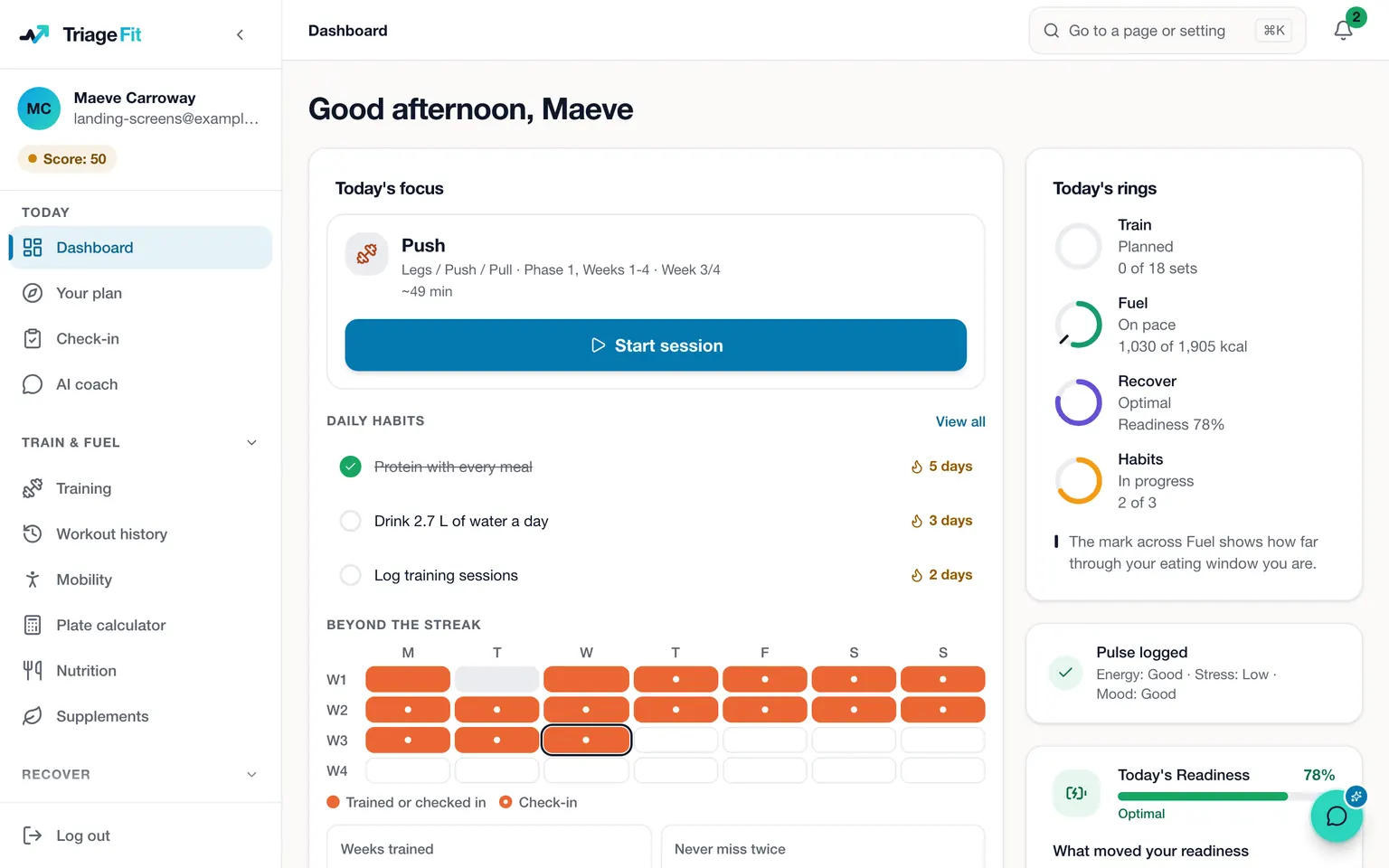
Whoop and TriageFit sit at two different points in your week. Whoop measures you, day and night, and scores what it finds. TriageFit plans what you train and eat, and the AI coach reads how the week went, and the two can run side by side. The AI coach delivers a method built over 20+ years of coaching real clients, in phases our coaches designed and tailored to you. The Whoop facts on this page come from Whoop's App Store listing, and each source at the foot of the page shows the day it was read.
What Whoop measures
Whoop's listing describes a sleep score from 0 to 100% each morning, a daily recovery score from 1 to 99% and a strain score from 0 to 21. It adds Healthspan, a way to put a number on your age and on your pace of ageing, a stress score through the day, with breathing sessions, menstrual cycle insights and more than 160 daily habits and behaviours to track. There is also Whoop Coach, which answers questions about your health and fitness on demand.
All of that comes from the band, since the Whoop app needs a Whoop wearable to work. Whoop offers a month's free trial of the wearable and the app for someone new to Whoop, with terms and conditions.
What TriageFit does with the data
TriageFit starts from you before it starts from a device. An intake of around thirty minutes, which saves your answers if you stop partway, asks what you are training for, how long you have trained, what equipment you can use, which days are free and what injuries you carry. In the common problem areas an injury is graded by how bad it is and which way it is heading, so a severe or worsening one has its riskiest exercises swapped for others that train the same muscles.
Your Whoop data arrives as a file. You request an export from Whoop in a web browser, Whoop emails you a link to a zip, and TriageFit's import page tells you which file inside it to upload. From that file TriageFit takes your sleep, heart-rate variability and resting heart rate, and the runs, rides, rows, swims and walks in Whoop's workouts file if you add it. TriageFit coaches from those measurements, and Whoop's own recovery and strain scores stay in Whoop.
Heart-rate variability is compared with a baseline built from your own Whoop readings, and readings from another device are kept out of it, because devices measure it differently. Your readiness for the day is worked out from heart-rate variability and resting heart rate, and how hard each session asks you to push moves with it. The readings are as fresh as your last upload, so a new export before your check-in keeps them current.
The programme and the food
The training comes from phases our coaches designed, each four to six weeks long, one leading into the next for as long as you stay. Each session draws on 494 exercises fitted to your equipment and level, every one with coaching cues and the main lifts on video, and each exercise shows what you lifted on it last time.
Your intake also sets a calorie target from your metabolism and spreads your protein across the day. You log meals from the food database, from recent meals or from recipes you saved, and your macros can move at each weekly check-in.
The week with each
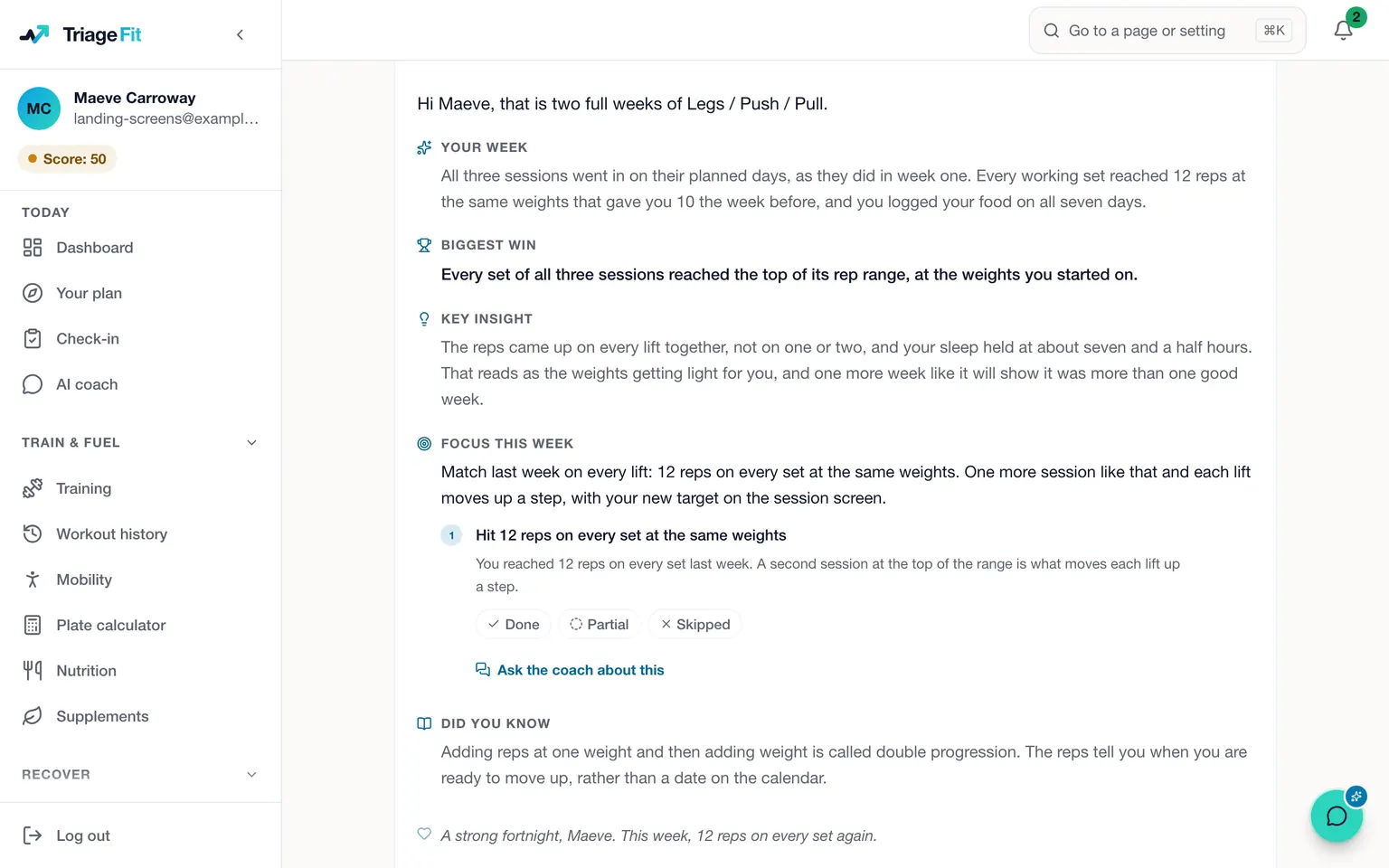
Whoop works through the day, with a fresh sleep score each morning, a recovery score each day and a coach in the app that answers your questions. TriageFit works through the week. Your check-in lands on the day you pick, with your food and sessions already in it, and you rate your energy, recovery, sleep, stress and motivation. A reply comes back within seconds and the AI coach reads it as well. Between check-ins the AI coach can shorten a session, swap an exercise or move a session to another day, and it waits for your yes before anything changes. You can film a set for a coach to check your form, and coaches answer in the members' group where everyone can read the reply. TriageFit runs in a browser on your phone or computer.
What each costs
What Whoop costs sets out Whoop's prices and terms from its own pages. TriageFit costs €50 every 4 weeks or €500 a year in Ireland with VAT included, £45 every 4 weeks in the UK and $55 in the US. The Whoop import is part of that plan with nothing extra to pay. The block plan has no contract, and a pause of one to three months covers an injury or a holiday.
Side by side
| Compared on | Whoop | TriageFit |
|---|---|---|
| What it is | A band and an app that score your sleep, recovery and strain | A coached programme, food targets and a weekly check-in |
| Where the data comes from | The band on your wrist | Your logs, your check-ins and any export you upload |
| Who answers your questions | Whoop Coach, which answers questions about your health and fitness on demand | The AI coach, replying in seconds, with a real coach as back-up when something needs a person |
A shift worker who wants a plan
Picture a paramedic in Limerick who has worn a Whoop for a year. The band has made it plain that night shifts flatten their sleep and that the gym sessions after a run of nights feel heavy, but every session is still made up on the spot. They want a plan that knows what the band knows.
They join TriageFit and fill in the intake across two evenings, listing the barbell, rack and dumbbells at their gym, a left ankle they rate as mild and improving, and three days that usually fall outside the night rota. The first phase gives them a session on each of those days, with the ankle's exercises kept in and a note to stay in a pain-free range. They upload a Whoop export at the weekend, so TriageFit holds their heart-rate variability and resting heart rate beside the sessions they log. After a week of nights the readings dip, and the sessions that week ask a little less of them. On Sunday the AI coach reads the check-in, with the nights and the training in front of it together.
Which one suits you
Whoop suits someone who wants a band that measures sleep, recovery and strain every day and scores it for them. TriageFit suits someone who wants a programme from coaches, built around their equipment, injuries and free days, with food coached in the same place and real coaches in their group. If you already wear a Whoop, you can keep it and upload its export, and the coaching uses your readings from then on.
How to start
Choose a plan on the pricing page, create your account and pay, and the intake opens. The import page has the steps for requesting a Whoop export, and your first file can go in whenever it arrives. Whoop alternatives covers other trackers, and coaching from wearable data shows what each reading is used for.
Questions people ask
- Does TriageFit work with Whoop?
- Yes, through an upload. You request your data from Whoop in a web browser, Whoop emails you a link to a zip, and you upload the file TriageFit's import page names. Your sleep, heart-rate variability and resting heart rate come in, and a newer export brings newer readings.
- Do I need a Whoop to use TriageFit?
- No. Your training, food targets and check-ins all run from the intake, the sessions and meals you log and the five ratings in your weekly check-in. Readings from a Whoop, an Apple Watch, a Garmin, an Oura ring or a Fitbit add recovery data once you upload them.
- What does the Whoop app give you?
- Whoop's listing describes a sleep score from 0 to 100% each morning, a daily recovery score from 1 to 99% and a strain score from 0 to 21, along with Whoop Coach, which answers questions about your health and fitness on demand. TriageFit gives you sessions from phases our coaches designed, fitted to your equipment and injuries, with a target for the next weight and reps from what you logged.
- Can I try Whoop or TriageFit for free?
- Whoop offers a month's free trial of the wearable and the app for someone new to Whoop, with terms and conditions. TriageFit has no free trial, and coaching starts with your first payment. The block plan has no contract, so you can stop whenever you choose, or pause for one to three months.
Sources
- Whoop on the App Store (US), checked 6 November 2026
Whoop, Garmin and Oura are trademarks of their owners. TriageFit is independent of each of them, and none of them has reviewed or endorsed this page.
Read next
- TriageFit vs MyFitnessPal, a food log or coached food and trainingTriageFit vs MyFitnessPal on price and on what happens after you log: a food diary whose goal follows your weigh-ins, or coached food and training.
- Whoop alternatives, what they cost and what to do with your dataWhoop alternatives from Oura, Google, Polar and Garmin, each priced from its maker's page, plus coaching that reads the data from the device you wear.
- Cancelling a Whoop membership, and taking your data with youHow to cancel a Whoop membership at app.whoop.com, how your commitment sets the end date, when a pause fits better, and how to keep your Whoop data.
- How much does a personal trainer cost, and what does the same money buy?What a personal trainer costs for a session, a package and four weeks in Ireland, the UK and the US, and what the same money buys with TriageFit.